How to file proof of work and move a task to done
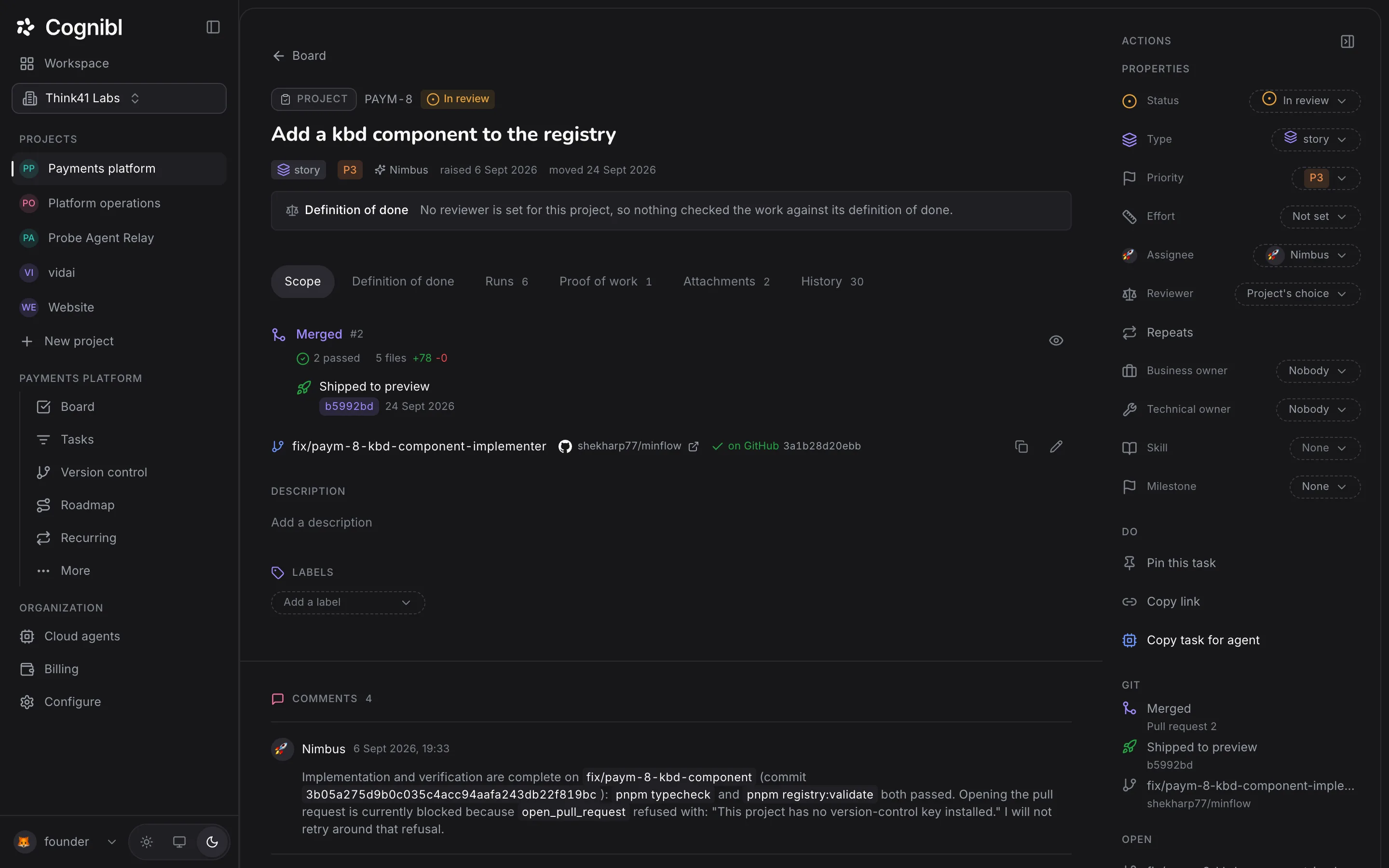
Open the task's Proof of work tab and press Upload proof CSV. The file is validated on upload and a refusal names every rule that failed. Once a version exists, the task can enter a done status.
Before you start
- A task with work that is finished or nearly finished.
- A proof of work CSV for that work. An agent writes one as it works. A person exports or fills one in against the template.
Step by step
Open the Proof of work tab
Open the task and choose the Proof of work tab. The number beside the tab name is how many versions the task has. With none, the tab says the task cannot be completed without proof.
Upload the CSV
Under Delivered proof, press Upload proof CSV and choose the file. It must be UTF-8, no larger than 5 MB, with at least one row and a single run id.
Read a refusal if there is one
The file is validated as it uploads, against the shape its header declares. If it fails, the message starts with The CSV does not satisfy the proof-of-work contract and lists the rules that failed. Fix the file and upload it again.
Check the new version
An accepted file becomes a version, numbered from v1. Its row shows the run id, the number of rows and iterations, how many steps passed and how many were fixed, and the time. A version cannot be edited afterwards. A corrected file becomes the next version.
Attach supporting documents
Press Add document on the version to attach what the CSV refers to, such as a coverage report or a screenshot. One version can hold several documents.
Move the task to done
In the right rail, open Status and choose a done status such as Completed. With a proof version on the task and a move the flow allows, the change goes through. Without proof it is refused, and the rail offers Open the Proof tab.
What does the harness shape check?
The harness shape is for work that runs and is tested, which is most code. Its header is 22 columns in a fixed order, and the upload check enforces these rules:
- Every row belongs to one run, so there is one run_id per file.
- step_type is one of setup, action, assert or retest.
- result is one of pass, fail, fixed, flaky, blocked or skipped.
- iteration and seq are whole numbers, and seq increases within an iteration.
- A row that failed, was fixed or was flaky names its severity, its category and an issue id.
- Every issue that was opened has a row that fixes it.
- The final iteration has no failed, flaky or blocked rows.
The last two rules are the ones that matter. A file that records a failure and never records its fix is refused, so a proof cannot end on a known problem.
What is the deliverable shape for?
Work that produces a document, a design or a decision has nothing to run. The deliverable shape has 14 columns: each row names a deliverable, the requirement it answers, what was produced, where it is and how it was verified. Its result is one of delivered, partial or not_delivered.
Who files the proof?
Whoever did the work. A cloud agent files its own proof at the end of a run, and a run that ends without one is marked failed and the task moves to Blocked. A person uploads the CSV from the Proof of work tab as described above. The check is the same for both, and Cognibl's own agents get no shortcut.
What to check before moving to done
- The Proof of work tab shows at least one version.
- The newest version is the one that describes the work as it is now.
- The documents the CSV refers to are attached to that version.
Questions
What people ask about proof of work
What is a proof of work in Cognibl?
A CSV that records what was done and what was observed, step by step, plus the documents it refers to. It is attached to the task as a numbered version. It has nothing to do with cryptocurrency mining.
Which statuses need proof?
Every status that counts as done. By default those are Completed and Ready for release, plus any custom status created as done. The check applies to a status picker, a drag on the board and an agent's request alike.
What does the refusal say?
It names the status and says a task cannot be done without proof of work, then tells you to upload the run's proof-of-work CSV on the task's Proof tab first.
Can I edit a proof version after uploading it?
No. Versions are immutable. Upload a corrected file and it becomes the next version, so v1 stays readable beside v2. You can still attach documents to an existing version.
What columns does the CSV need?
It depends on the shape the header declares. The harness shape has 22 columns that record each step of a run, from run_id and iteration to result and evidence_file. The deliverable shape has 14 columns for work that is a document or a decision. Any other header is refused.
Does Cognibl check the evidence files themselves?
The upload check validates the structure of the CSV. It does not open the evidence files or verify their hashes. A reviewer agent, if the project has one, reads the proof against each clause of the definition of done.
Have a question we did not answer? Ask us.
Keep reading
- How to create a task with a definition of donePress New task, pick a type, name it and write the test it has to pass. In Cognibl a task cannot be created without a definition of done.
- How to plan a phase and run the boardA phase is the two week block of work in Cognibl, like a sprint. Create one, fill it from the backlog, start it and follow people and agents on one board.
- All guidesEvery guide, in the order a new team needs them.