How to follow a task from branch to merged pull request
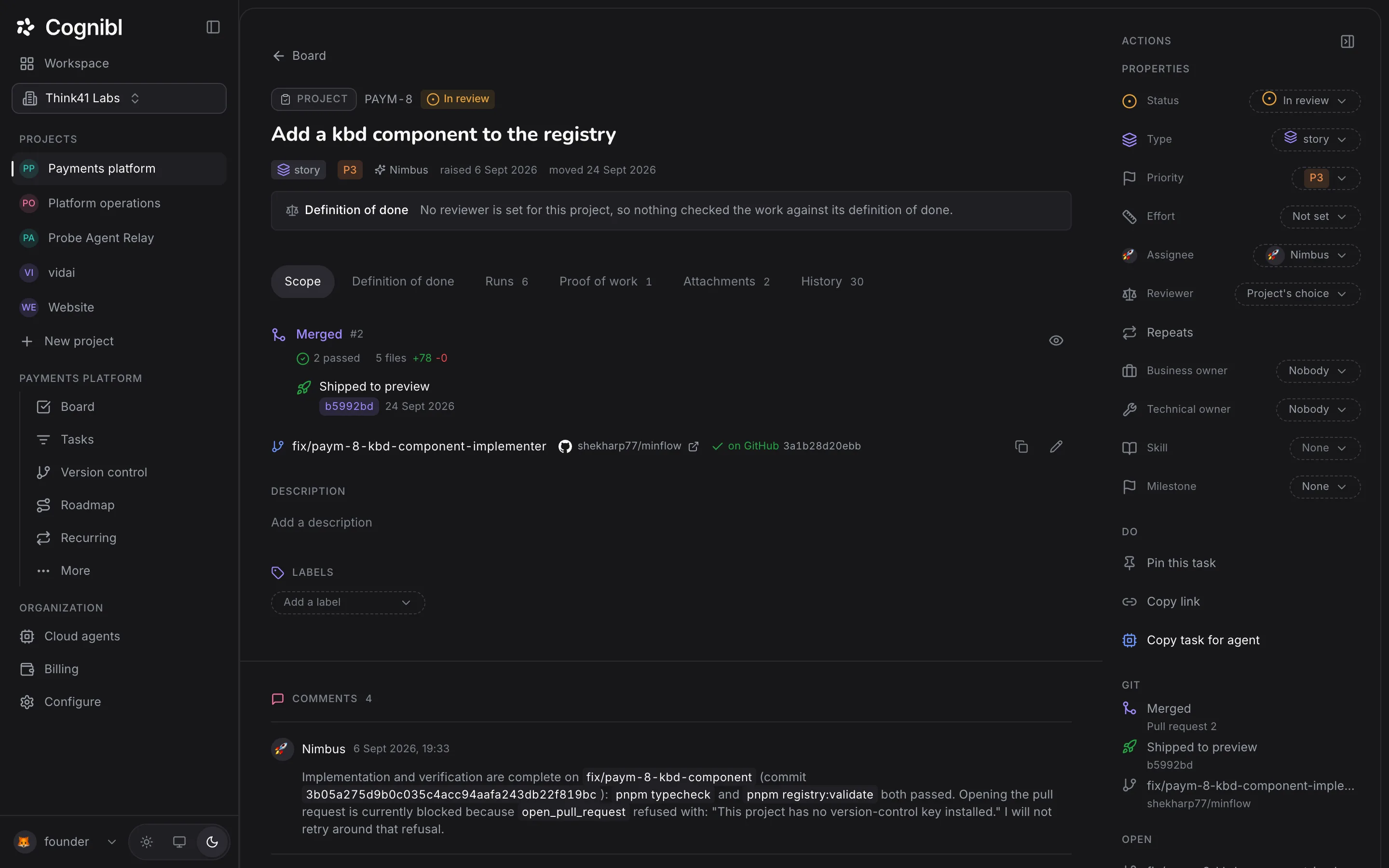
Each task shows its branch, its pull request, the checks and the deployment on its Scope tab. Here is how to set the branch, read the pull request's state and see what a merge does to the task.
Before you start
- A project with a linked GitHub repository.
- A task. Its key is what ties the branch and the pull request to it.
Step by step
Find the task's branch
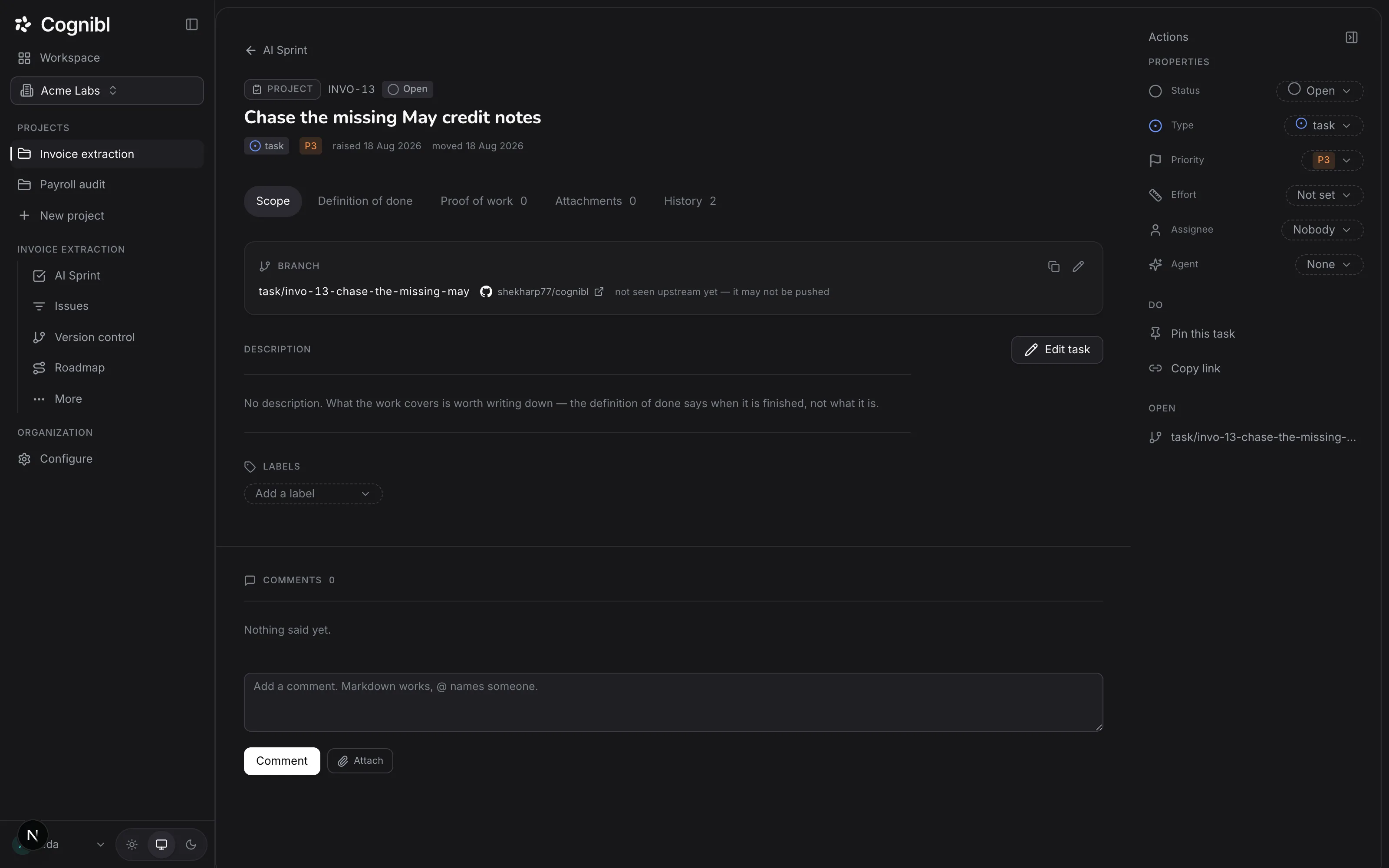
Open the task. The Scope tab shows the branch with the repository beside it, and the rail's Git group repeats it. Cognibl suggests a name made from the task's type, key and title, such as task/invo-13-chase-the-missing-may.
Screenshot from an earlier release. Some labels have changed and the steps use the current ones. Create the branch and push
Copy the branch name with the copy control and create it in your repository, or use any branch name that contains the task key. Until a push arrives, the block reads not seen upstream yet, it may not be pushed. After a push it reads on GitHub with the commit.
Open a pull request
Open the pull request on GitHub as usual. Cognibl finds the task key in the branch name or the pull request title and attaches it to the task. A cloud agent opens its own pull request at the end of its work.
Read the pull request's state
The Scope tab leads with one headline for the pull request, such as Waiting for a review, Changes requested, Clashes with the base branch, Ready to merge or Merged. Beneath it are the checks that passed, failed or are running, and the files and lines changed.
Merge it
A person merges, unless the project's Process tab is set to merge automatically when review passes. When the pull request merges, the task moves one status forward, for example from In review to QA. It never jumps straight to done. If the next status is a done status and the task has no proof of work, the move is refused and the task says what is missing.
See the deployment
If the repository names a deploy workflow, the task shows Shipped to and the environment once the merged commit has been deployed. The Deployments tab of the Version control screen lists what has shipped.
See every branch at once
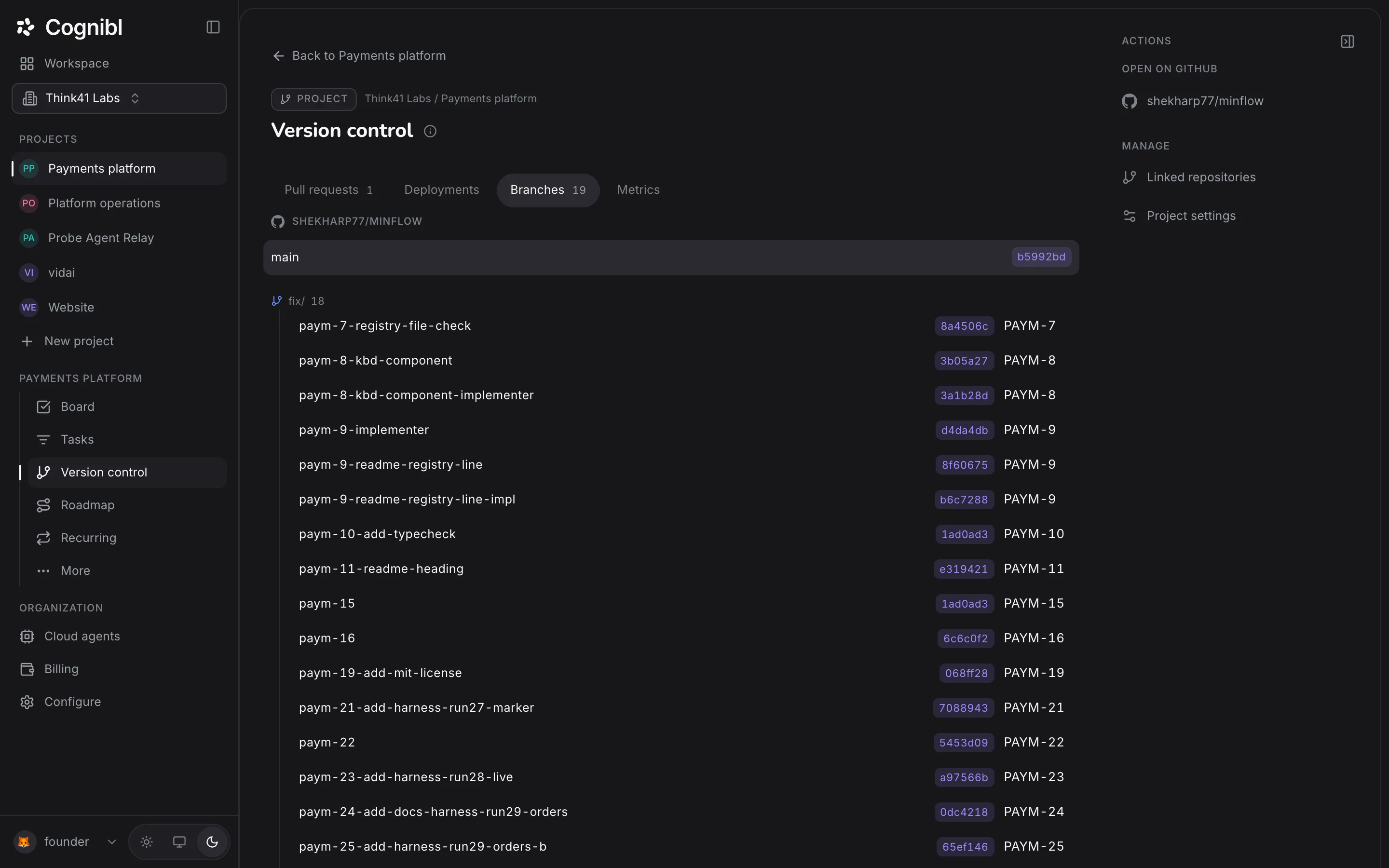
Choose Version control in the navigation rail and open Branches. Each branch is listed with its commit and its task key, grouped by prefix. Pull requests lists the open ones.
What does each pull request headline mean?
The task shows one headline at a time, and it is the thing most worth acting on.
| Headline | What to do |
|---|---|
| No pull request yet | Push the branch and open one |
| Still a draft | Mark it ready when the work is |
| Clashes with the base branch | Resolve the conflicts on the branch |
| Checks failed | Open the checks and fix what broke |
| Changes requested | Answer the review |
| Waiting for a review | Ask a reviewer, or wait |
| Ready to merge | Merge it |
| Merged | Nothing. The task has moved forward |
| Closed without merging | Decide whether the task is still wanted |
How should branches be named?
Cognibl builds its suggestion from three parts: a prefix for the task's type, the task key in lower case and a short form of the title.
| Task type | Prefix | Example |
|---|---|---|
| Bug | fix | fix/paym-8-kbd-component |
| Story | feat | feat/pay-21-reconcile-payouts |
| Task | task | task/invo-13-chase-the-missing-may |
You do not have to use the suggestion. Any name that contains the key works.
What to check before merging
- The headline reads Ready to merge.
- The task has a proof of work if the next status counts as done.
- The code review, if the project runs one, has no open critical or high findings. See the guide on reading a code review.
Questions
What people ask about branches and pull requests
How does Cognibl know which task a branch belongs to?
By the task key. It recognises the key anywhere in a branch name or a pull request title, so a branch somebody made by hand is picked up with nothing to configure.
What does not seen upstream yet mean?
That the branch name is recorded on the task and GitHub does not have a branch with that name yet. It has usually not been pushed.
Can an AI agent merge its own pull request?
No. An agent's push to the base branch is refused and no agent tool merges. A person merges, or the project can be set on its Process tab to merge automatically when review passes.
What happens to the task when the pull request merges?
It moves one status forward along the project's flow. It does not skip to done, and a move into a done status still needs a proof of work.
What if a merged change is reverted?
The task reads Merged, then reverted and does not move forward. Cognibl checks whether the merge is still in the base branch.
Why does the task say Cannot reach GitHub?
Because Cognibl could not read the repository with the project key. An owner or admin can check the key, and replace it if needed, on the Version control tab of project settings.
Have a question we did not answer? Ask us.
Keep reading
- How to link a GitHub repository to a projectAdd a fine-grained GitHub token as the project key and pick the repository. Cognibl then matches each branch and pull request to a task by its key.
- How to review an AI agent's code and send it backSwitch on Code review and name a reviewer. Each pull request is reviewed on every push. Read findings by severity and send the task back with them.
- All guidesEvery guide, in the order a new team needs them.