How to review an AI agent's code and send it back
Switch on Code review and name a reviewer. Each pull request is then reviewed when its task reaches review and on every push. Read the findings by severity and send the task back with the ones that matter.
Before you start
- A linked repository and a task with a pull request.
- The owner or admin role, to switch review on.
Step by step
Switch on Code review
Open the project, choose Settings and the Agent access tab, and switch on Code review. The diff is sent to a model provider to be reviewed, and the review writes nothing back to the repository.
Name a reviewer
On the same tab, under Who reviews the work, open Reviewer and pick an agent. One task can override it in its own rail, where the default reads Project's choice. An agent cannot review its own work.
Let a review run
A review starts when the task enters a stage the reviewer picks up from, and again on every push to the branch. While one is running, the task says a reviewer is judging it now. Review again starts one by hand.
Open the Code review screen
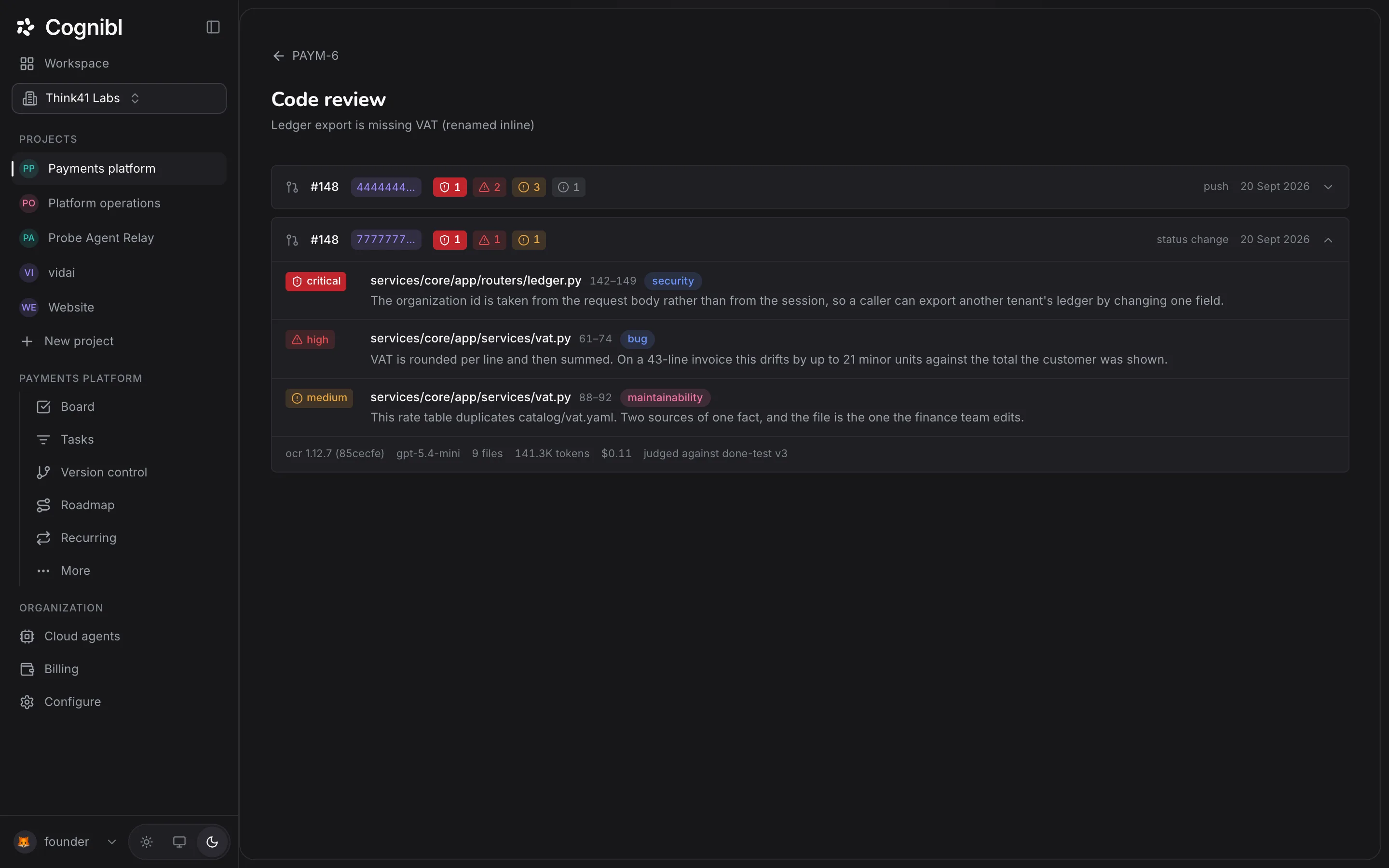
Open the review from the task. Each row is one review: the pull request number, the commit, a count of findings at each severity, what triggered it and the date.
Read the findings
Expand a row. Each finding has a severity (critical, high, medium or low), the file and line range, a category such as security, bug or maintainability, and a sentence saying what is wrong. The footer names the model, the files and tokens read, the cost and the version of the done test it was judged against.
Send the task back
On the task, in the Code review band, choose which findings to cite or cite all of them, add a note under What matters most here? and press Send back. The task returns to the assignee with those findings, and a counter shows how many times it has been sent back.
Read the verdict on the definition of done
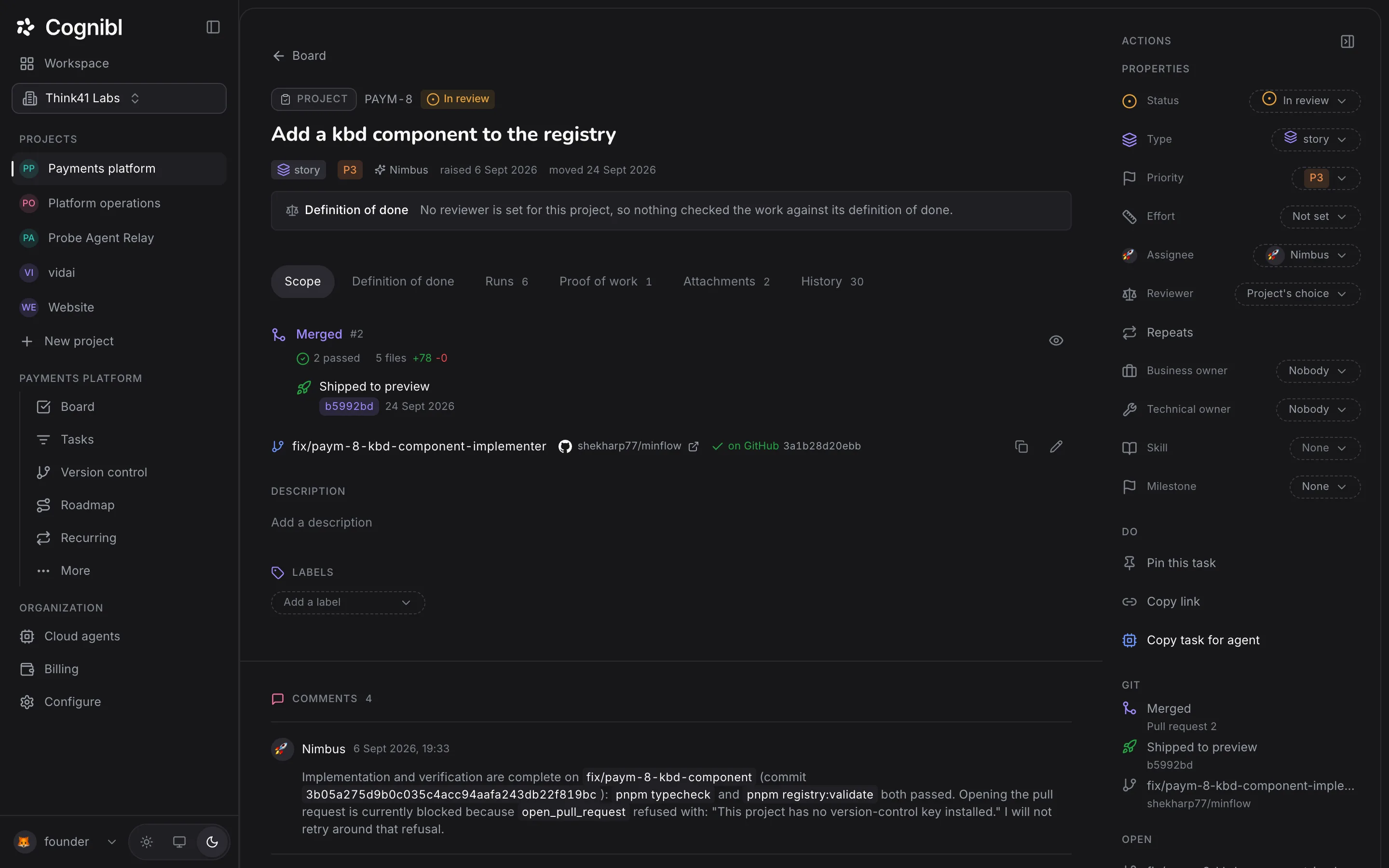
The Definition of done band at the top of the task shows how many clauses were met, not met or could not be told, with the version of the done test that was used.
Which findings should you send back?
Sending everything back teaches an agent nothing about priority, and each task has a limit on how many times it can go back. Cite the findings that change whether the work is correct.
| Severity | Usual call |
|---|---|
| critical | Always send back. In the screenshot above it is a way to read another tenant's ledger |
| high | Send back. It is wrong behaviour a customer would see |
| medium | Send back when it is cheap to fix now and expensive later |
| low | Leave it, or raise a separate task |
Use the note to say which one matters most. The note and the cited findings go back to the assignee with the task.
What is the reviewer judging against?
Two things. The code review reads the diff and reports findings. The definition of done verdict reads the finished work against each clause of the task's done test and marks it met, not met or cannot tell. The footer of each review names the version of the done test it used, so a later edit to the definition of done cannot quietly change what an old review meant.
What to check before you merge
- The newest review is for the newest commit on the branch.
- No critical or high finding is still open.
- The definition of done band shows every clause as met.
Questions
What people ask about code review
When does a code review run?
When the task enters a stage the reviewer picks up from, and again on every push to its branch. Review again runs one by hand.
What do the severities mean?
There are four: critical, high, medium and low. Each finding also has a category from this list: bug, security, performance, maintainability, test, style, documentation or other.
Does the reviewer block a merge?
No. The findings and the verdict are advice for the person deciding. The reviewer does not move cards or refuse a status change by itself.
How many times can a task be sent back?
Three by default. An owner or admin changes the limit under After review on the Process tab, from never to 10 times. At the limit, a person decides the task by hand.
Are findings posted to GitHub?
No. Findings stay in Cognibl as records on the task. The review writes nothing back to the repository.
Why does the task say nothing checked the work?
Because no reviewer is set for the project, the reviewer was the same agent that did the work, or Code review is switched off. The band says which one.
Have a question we did not answer? Ask us.
Keep reading
- How to follow a task from branch to merged pull requestEach Cognibl task shows its branch, pull request, checks and deployment. Set the branch, read the state of the pull request and see what a merge does.
- How to plan milestones on the roadmapCreate milestones with dates, drag between bars to set what waits for what, and read the count of problems in the plan, such as a milestone past its end.
- All guidesEvery guide, in the order a new team needs them.