How to read a project's metrics
Open Metrics in a project. Delivery shows the work remaining and the effort finished each week. Flow splits cycle time into Spec, Build and Verify and gives the first pass, wait and reopen rates.
Before you start
- A project with some finished tasks. Rates need work that has been through review.
- Effort on your tasks, if you want the Delivered chart to fill in.
Step by step
Open Metrics
In the navigation rail, open the project and choose Metrics. There are three panes: Delivery, Flow and Agents.
Read Remaining
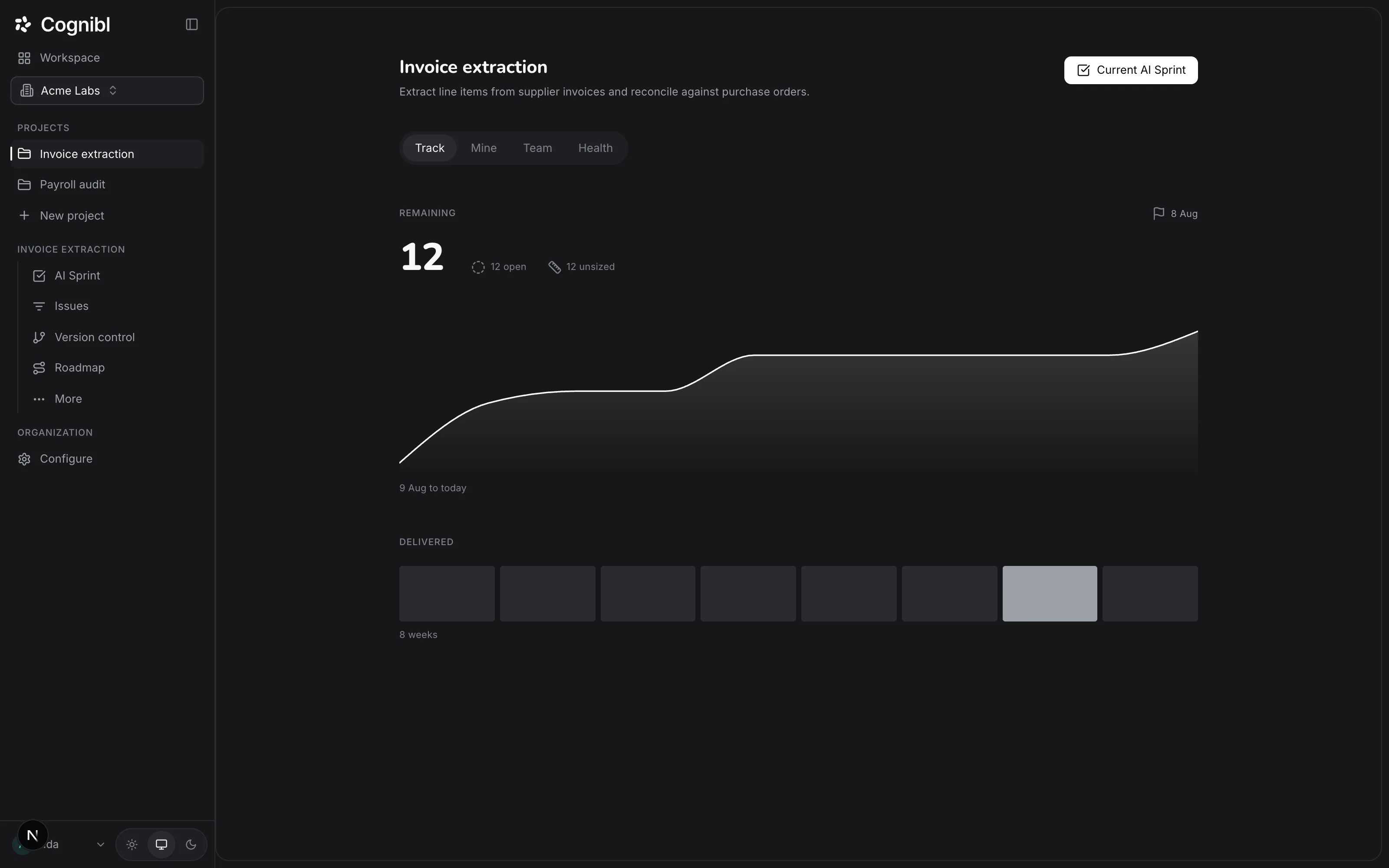
On Delivery, Remaining is a 30 day chart of the tasks that are not in a done status. When the project has an open milestone with an end date, an ideal line is drawn toward it. Without one the chart says there is no target date.
Screenshot from an earlier release. Some labels have changed and the steps use the current ones. Read Delivered
Delivered shows the effort points finished in each of the last 8 weeks. An empty week is drawn as an empty slot, so one full week reads against the quiet ones. If nothing is sized yet, the chart says so. Created vs finished compares the tasks opened and closed over the same 8 weeks.
Screenshot from an earlier release. Some labels have changed and the steps use the current ones. See where time goes
Open Flow. Where time goes shows the median time a task spends in each stage, from created to done. Spec runs from creation to the first active status. Build runs from there to the first time in review. Verify runs from review to done.
Read the quality rates
Under Quality, First pass is the share of work that left review and went straight to done. Wait share is the part of cycle time spent in review, blocked or waiting on a customer. Reopened is work that reached done and later left it. With proof is the share of finished tasks that carry a proof version.
Check the agents
Open Agents. Finished by shows who completed the work, and How runs end shows the outcomes of agent runs. Owners and admins also see Spend.
Which number should you look at first?
Start with where time goes, then use the rates to explain it.
| You see | It usually means | Look at |
|---|---|---|
| Long Spec, high First pass | Careful specification that pays off | Nothing. This is healthy |
| Long Spec, low First pass | The definition of done is still unclear after all that time | How done tests are written |
| Short Build, long Verify | Work is waiting for a reviewer | Wait share, and who reviews |
| High Reopened | Work is being called done too early | What the proof of work is asked to show |
Long specification time is not a fault in itself. It is a fault when the first pass rate is low as well. The post on first-pass verification rate goes further.
Why do these count finished work and not activity?
Because an agent can produce activity without limit. Commits, comments and tokens all rise when an agent works, whether or not anything was finished. The numbers on this screen are built from tasks and the statuses they reach, and a task cannot reach a done status without a proof of work.
What to check each week
- Delivered for the week that just ended, against the weeks before it.
- First pass, and whether it moved after any change to how done tests are written.
- Wait share, because waiting on people is usually the cheapest time to win back.
Questions
What people ask about project metrics
What is first pass rate?
The share of tasks that went from review straight to a done status on the first attempt. A low rate usually means the definition of done was unclear when the work started.
How is cycle time split?
Into three stages, each shown as a median. Spec is from creation to the first active status. Build is from there to the first time in review. Verify is from review to done.
What is wait share?
The share of a task's cycle time spent in review, blocked or waiting on a customer. It is time the work spent waiting for a person.
What counts as reopened?
A task that reached a done status and later left it. Recurring tasks are left out, because they repeat by design.
Why is the Delivered chart empty?
Because no finished task has an effort. Delivered counts effort points, so give tasks an effort on the scale 1, 2, 3, 5 and 8 and the weeks fill in.
Do agents and people count the same way?
Yes. A task finished by an agent and a task finished by a person are measured by the same statuses and the same rules. The Agents pane shows who finished what.
Have a question we did not answer? Ask us.
Keep reading
- How to plan milestones on the roadmapCreate milestones with dates, drag between bars to set what waits for what, and read the count of problems in the plan, such as a milestone past its end.
- How to read the trace of every agent requestThe trace lists every request an agent made through Cognibl: the tool, the key and whether it was allowed or denied. Read it and check the hash chain.
- All guidesEvery guide, in the order a new team needs them.