How to connect Claude Code or Cursor to Cognibl over MCP
Create an agent key on your account page, copy the ready-made mcpServers block into Claude Code, Claude Desktop or Cursor, and switch on task access for the project. The agent then works your tasks as you.
Before you start
- An agent that speaks MCP, such as Claude Code, Claude Desktop or Cursor.
- Membership of the project the agent should work in.
- An owner or admin to switch on the kinds of access the agent needs.
Step by step
Open Agent keys on your account
Open your account page and choose the Agent keys tab. A key belongs to a person and not to a project, so this is where every key of yours lives.
Create a key
Press Create a key and fill in What is it for with a label you will recognise later, such as the name of the machine. Press Create. The key expires after 90 days.
Copy the configuration now
Cognibl shows the key once, inside a ready-made mcpServers block with the endpoint and the authorization header filled in. Press Copy. The key is never shown again, so copy it before pressing Done.
Paste it into your agent
Add the block to the MCP configuration of Claude Code, Claude Desktop or Cursor and restart the agent. From the agent's side, Cognibl is one MCP endpoint and one key.
Switch on access for the project
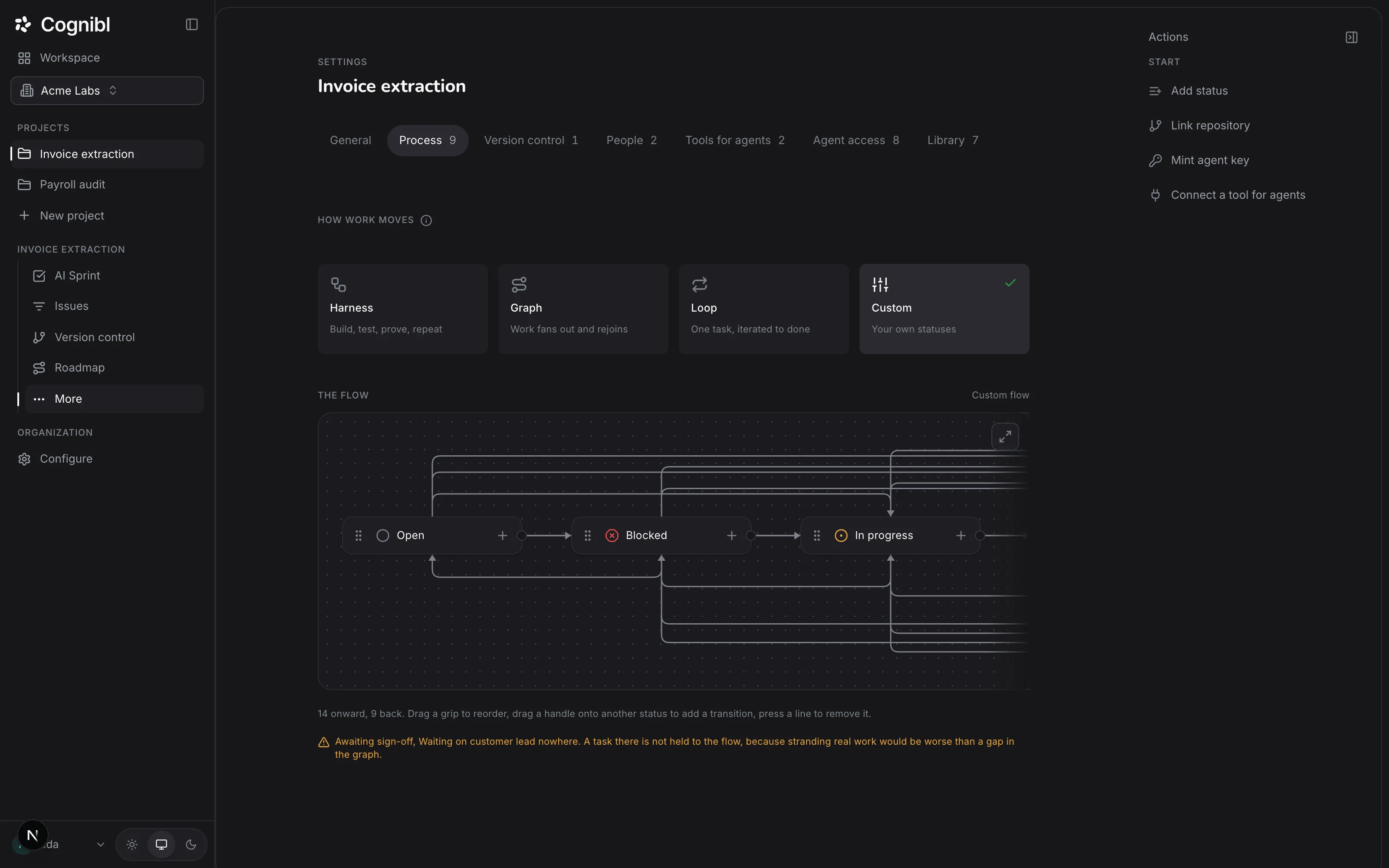
Open the project, choose Settings and the Agent access tab. Everything is off by default. Switch on Task reading so the agent can read tasks, and Task writing so it can comment, move a status and upload proof.
Screenshot from an earlier release. Some labels have changed and the steps use the current ones. Ask the agent to work a task
Give the agent a task key. It reads the task and its definition of done, does the work, uploads a proof of work and asks for the status change. On any task, Copy task for agent in the rail copies a prompt that tells it what to do.
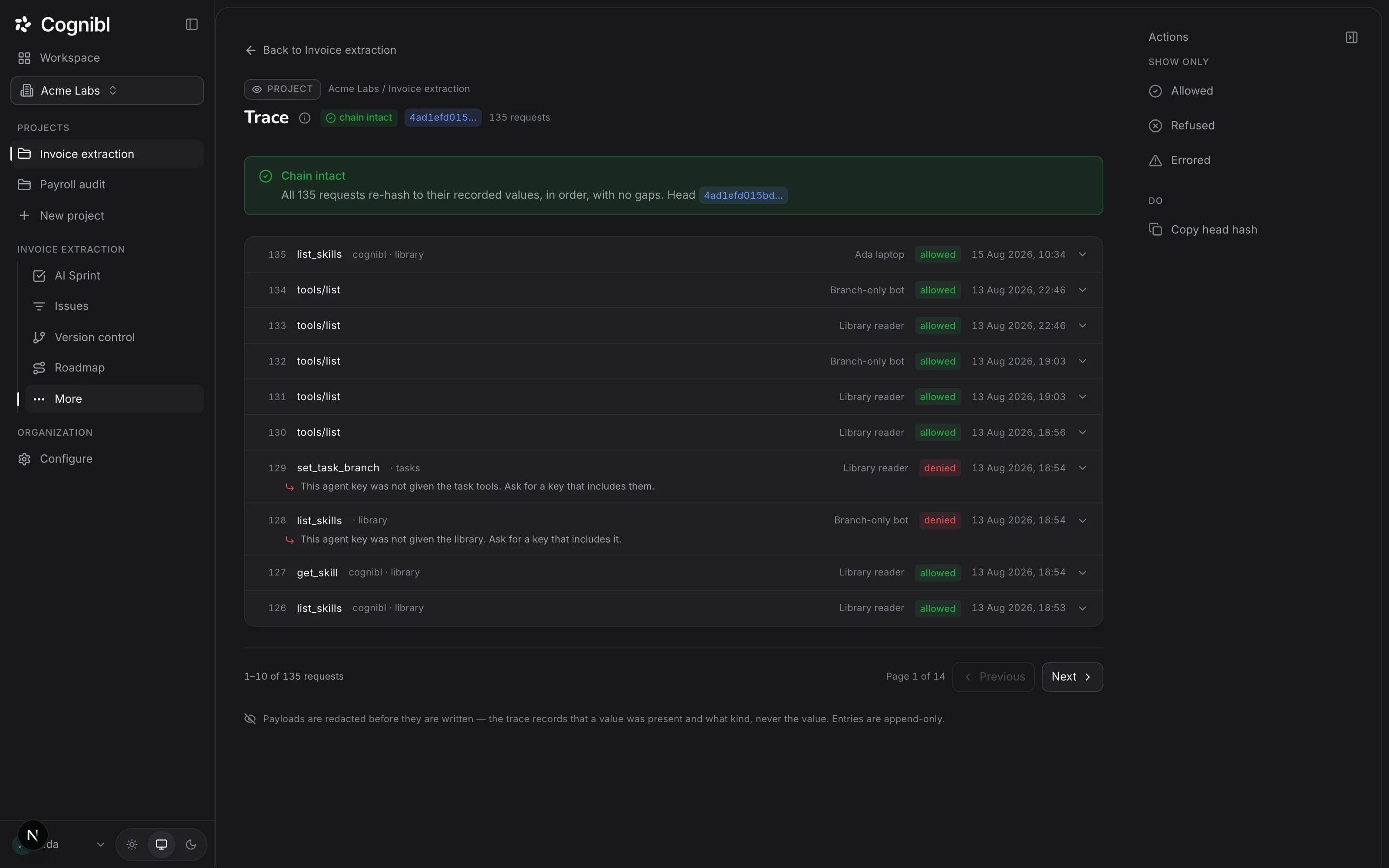
Check the trace
Open the project's Trace. Each request shows the label of the key that made it. A request for something the project has not switched on shows as denied with the reason.
What can the agent do once connected?
The agent sees Cognibl as a set of MCP tools, grouped into toolsets. A project switch turns each group on.
| Toolset | What it lets an agent do | Project switch |
|---|---|---|
| Tasks, reading | List tasks, read one, read its statuses and documents | Task reading |
| Tasks, writing | Comment, set a status, upload and commit proof of work | Task writing |
| Branches | Record the branch a task's work is on | Branch writes |
| Code | Read how the repository is laid out and open a pull request | Code access |
| Library | Fetch the project's skills and agent manifests | Library access |
| Memory | Write down what it learned and read what earlier agents left | Memory |
An agent that finds a task already complete can report nothing to do instead of inventing work.
How does an agent finish a task?
In the same order a person would, and the order matters:
- Read the task first, for the definition of done.
- Do the work.
- Begin a proof upload and send the CSV.
- Commit the proof version.
- Set the task's status.
A status change to done that arrives before the proof is committed is refused. The guide on filing proof of work describes the CSV.
What to check after connecting
- The key appears on your Agent keys tab with a recent last used time.
- The project's trace shows the agent's first requests as allowed.
- Nobody else has the key. It acts as you, so treat it like a password.
Questions
What people ask about connecting your own agent
Which agents can connect?
Any agent that speaks MCP over HTTP. The console gives you a ready mcpServers block for Claude Desktop, Claude Code and Cursor.
What can a key do?
It acts as you. It reaches the projects you belong to, and inside each one only the kinds of access that project has switched on for agents. Everything it does is recorded against you in the audit trail and in each project's trace.
How long does a key last?
90 days. The list on your account page shows when each key was last used and marks expired ones.
How do I revoke a key?
Press Revoke on its row on the Agent keys tab. It stops working immediately.
Why was my agent refused?
The refusal says which grant is missing. This project has not enabled task reading for agents means an owner or admin has to switch it on in project settings. Other refusals name the toolset that was not granted.
Can my own agent mark a task done?
It can upload proof and ask for the status change. A move into a done status is refused without a proof of work, for an agent exactly as for a person.
Have a question we did not answer? Ask us.
Keep reading
- How to connect tools for your agentsConnect a tool once for the organization, then switch it on per project. Agents reach it through the Cognibl gateway and never hold the credential.
- How to set what AI agents can access in a projectSeven switches on the Agent access tab of a project control what agents may do, from reading tasks to cloning code. All start off.
- All guidesEvery guide, in the order a new team needs them.