How to connect tools for your agents
An owner or admin connects a tool once for the organization on Configure, Tools. Each project then switches it on under Tools for agents. Agents reach it through Cognibl and never hold the credential.
Before you start
- The owner or admin role. Only owners and admins add a tool for the organization.
- An account on the tool you are connecting, or an API key for it.
Step by step
Open the tool store
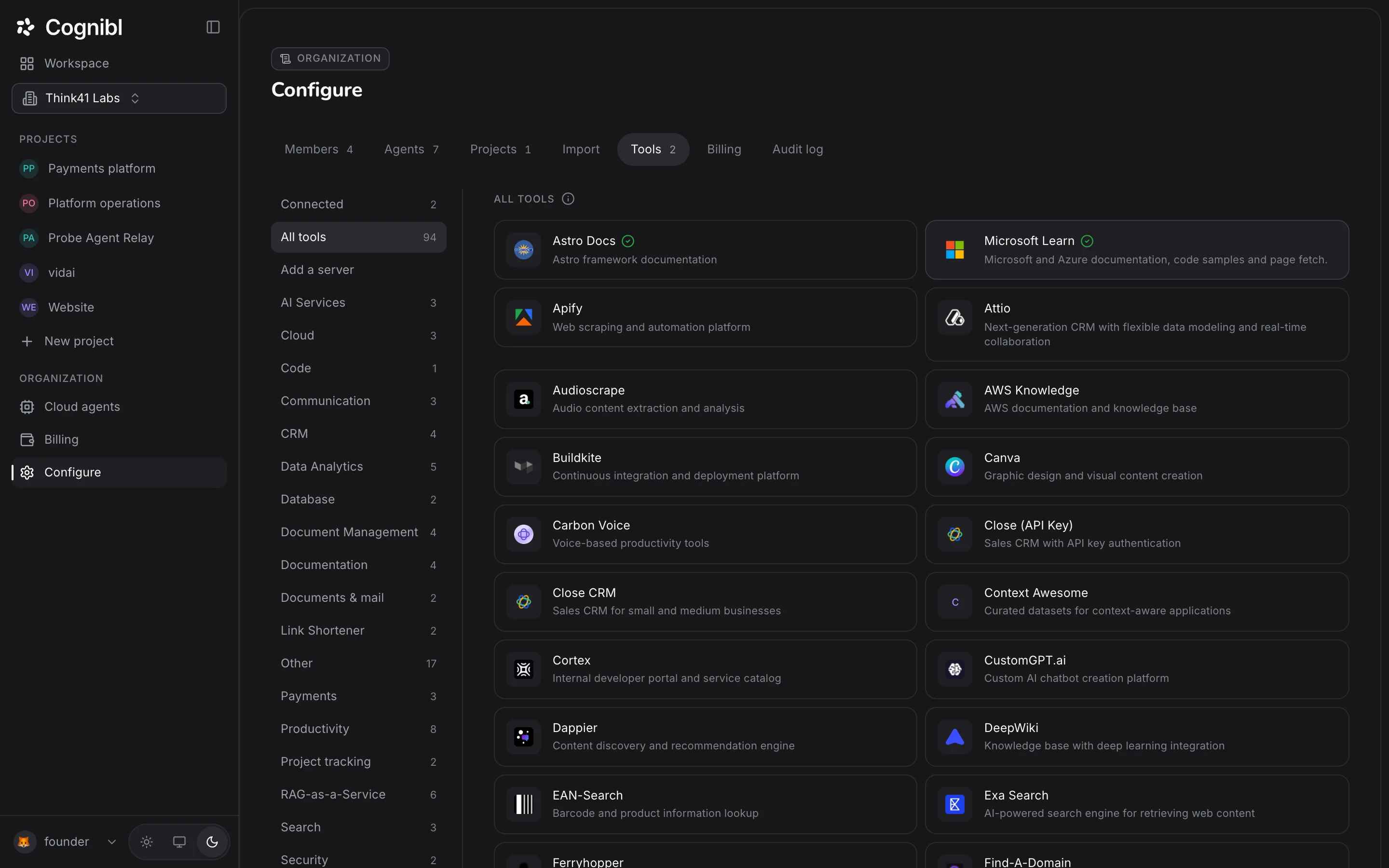
In the navigation rail, under Organization, press Configure, then the Tools tab. The shelves on the left are Connected, All tools, Add a server and one per category. Search tools finds a tool by name.
Pick a tool
Press a tool's card. A tool that signs in through its own provider shows Connect. A tool that uses a key shows Paste an API key. A green tick on a card means the tool is already connected.
Connect it for the organization
Press Connect and sign in on the provider's own page, or paste the key. A pasted key is tested against the provider before it is saved. The connection belongs to the organization, and the card then reads Connected as with the account name.
Switch it on for a project
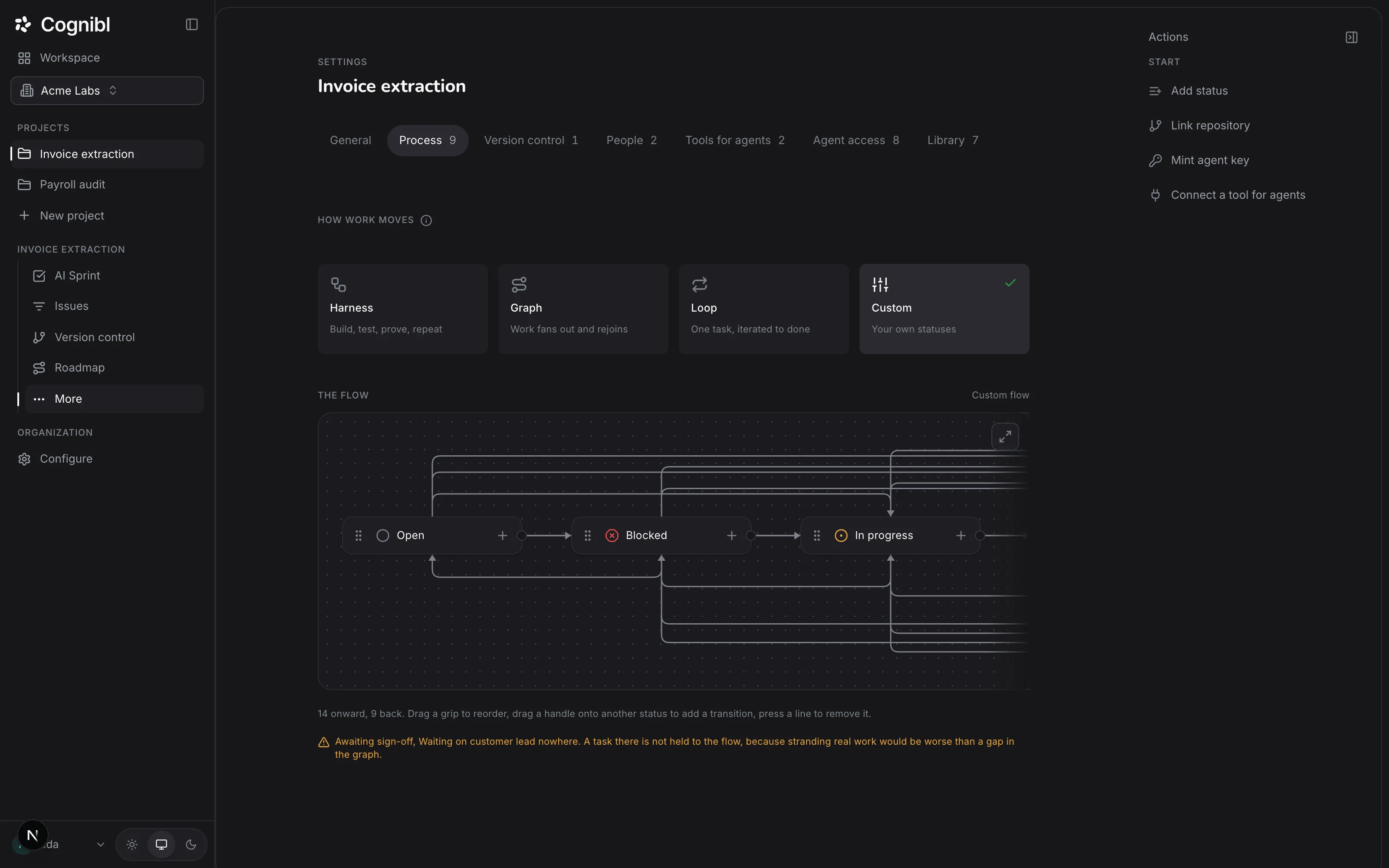
Connecting grants nothing by itself. Open the project, choose Settings and the Tools for agents tab. Each connected tool has one switch. Turn it on for the projects whose agents should use it.
Screenshot from an earlier release. Some labels have changed and the steps use the current ones. Narrow it to toolsets
Press Toolsets on a tool's row to see the individual toolsets it offers and switch off the ones this project does not need. The main switch grants the tool's read toolsets.
Add a server that is not in the store
Open the Add a server shelf and search the published MCP servers. Results are marked Certified or Community. Press Add to put one in your store, then connect it like any other tool.
Disconnect when you are done
On the tool's card, press Disconnect. If projects are using it, Cognibl asks you to confirm how many it will be turned off in.
Why are there two steps?
Connecting and granting are different decisions, made by different people at different times.
| Step | Who | What it decides |
|---|---|---|
| Connect, on Configure | An owner or admin | That the organization trusts this tool and this account |
| Switch on, in project settings | An owner or admin | That this project's agents may reach it |
A tool connected for the organization and switched on in one project is invisible to the agents of every other project. That is deny by default, and it is why a new connection changes nothing until somebody switches it on.
Is version control a tool?
No. A tool is something an agent may read through the gateway. Version control is where the project's own work lands, and it is set up with a project key on the Version control tab. The guide on linking a GitHub repository covers it.
What to check after connecting
- The tool's card shows a tick and the account you expected.
- The card's count of projects matches the projects you switched it on in.
- After the first agent call, the project's trace shows the request as allowed.
Questions
What people ask about connecting tools
Who owns a tool connection?
The organization. There is one connection per provider, every member can see it and the account it uses, and only an owner or admin can add or remove it. Each project then decides whether its agents may use it.
Does an agent ever see the credential?
No. Cognibl's gateway holds the credential and makes the call. The agent receives the result and never the token that fetched it.
Why can my agent not use a tool I connected?
Because the project has not switched it on. Connecting a tool stores the credential for the organization. The switch on the project's Tools for agents tab is what grants access.
Can I add my own MCP server by URL?
Not today. Add a server searches the published MCP registry. A server has to be listed there, and an admin has to add it to your store before anyone can connect it.
What is the difference between Certified and Community?
A certified server has been reviewed by Cognibl. A community server comes from the wider registry and has to be added to your store by an owner or admin before it can be connected.
Where do I see what an agent did with a tool?
On the project's Trace screen. Every call through the gateway is recorded there, whether it was allowed, refused or failed.
Have a question we did not answer? Ask us.
Keep reading
- How to schedule a recurring task for an AI agentWrite a task and its done test, pick how often it runs and which cloud agent does it. Each run makes a fresh copy with its own proof of work.
- How to connect Claude Code or Cursor to Cognibl over MCPCreate an agent key, paste the ready mcpServers block into Claude Code, Claude Desktop or Cursor and switch on task access for the project.
- All guidesEvery guide, in the order a new team needs them.