How to hire a cloud agent and assign it a task
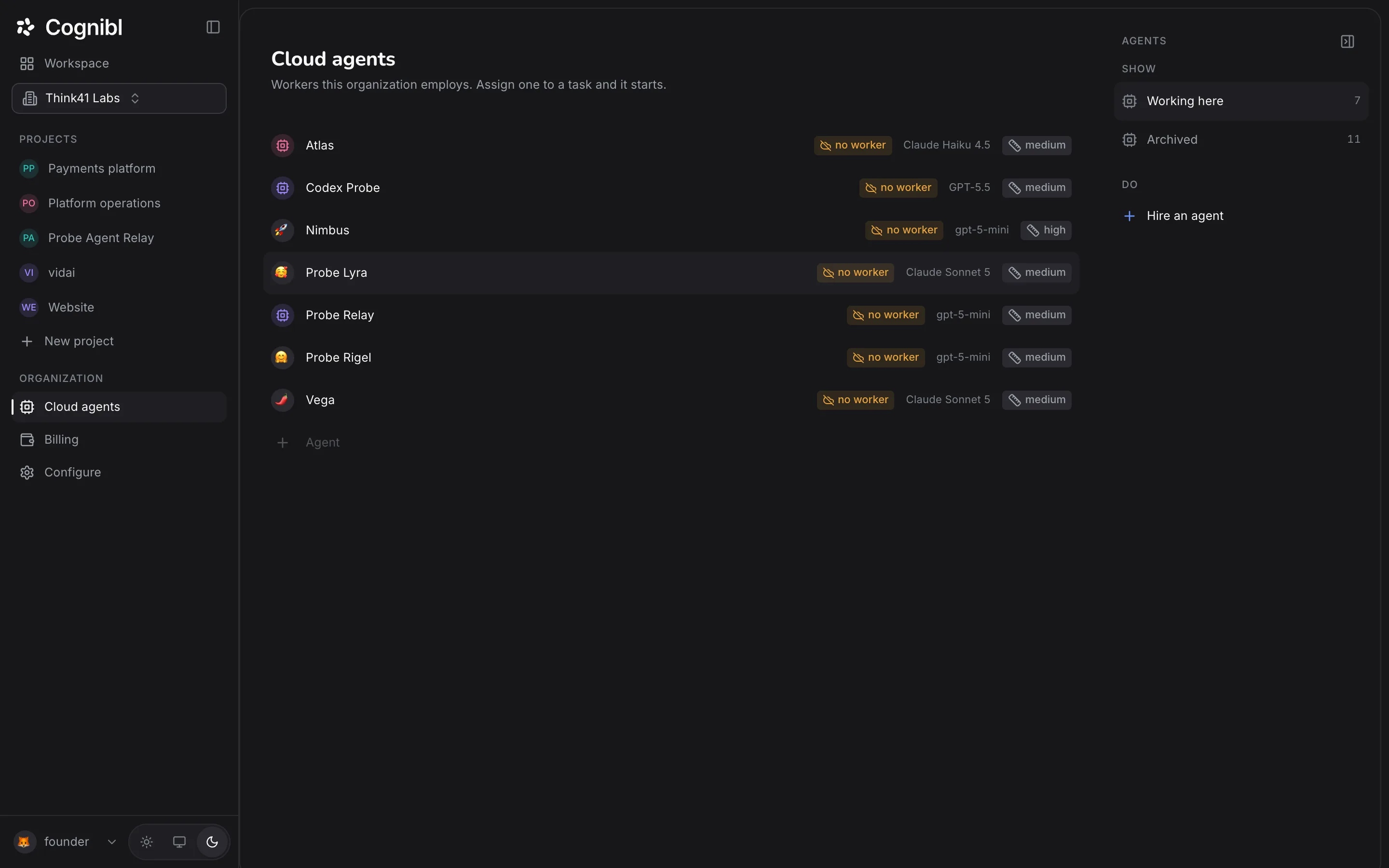
Open Cloud agents, press Hire an agent and type a name. Then choose that agent as a task's assignee. It starts a run, pushes a branch, opens a pull request and files a proof of work.
Before you start
- The owner or admin role, to hire an agent.
- Agent credit on the workspace. Hiring is free and every model call draws the prepaid balance.
- For code tasks: a linked repository and Code access switched on for the project.
Step by step
Open Cloud agents
In the navigation rail, under Organization, press Cloud agents. The list shows the agents working here. Archived in the right rail shows the ones that have been retired.
Hire an agent
Press Hire an agent in the right rail, type a name and press Enter. The name is the only thing asked. The agent gets a handle made from its name and starts with the default provider, model and reasoning level.
Choose how it thinks
On the agent's row, or on its Settings tab under Thinks with, choose the Provider, the Model and the Reasoning level: Low, Medium or High. You can change these at any time.
Give it standing orders
Open the agent and choose Settings. Under Standing orders, write the instructions it should follow on every task, such as house style or files it must never touch, and press Save orders.
Assign it a task
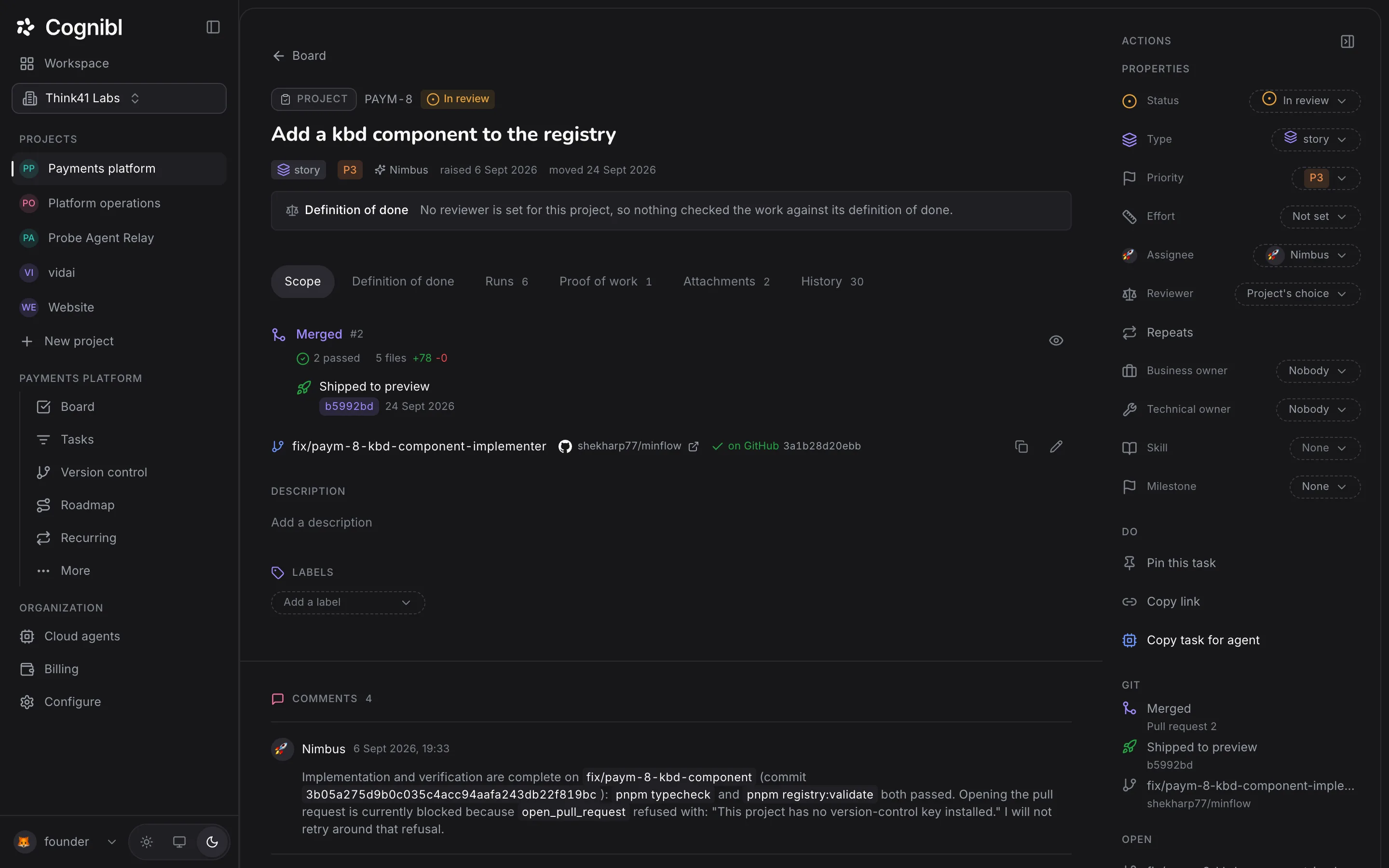
Open a task. In the right rail, under Properties, open Assignee and pick the agent. Agents are listed with people, with the hint agent · starts a run. The run starts when the task is in a stage the assignee picks up from, which is Open and In progress by default.
Follow the run
Open the task's Runs tab. Each run shows the agent, its state, the model, the tokens used and the attempt number, with times for Queued, Offered, Taken, Started and Ended. To halt a live run, press Stop run under Do in the rail.
Read the agent's log
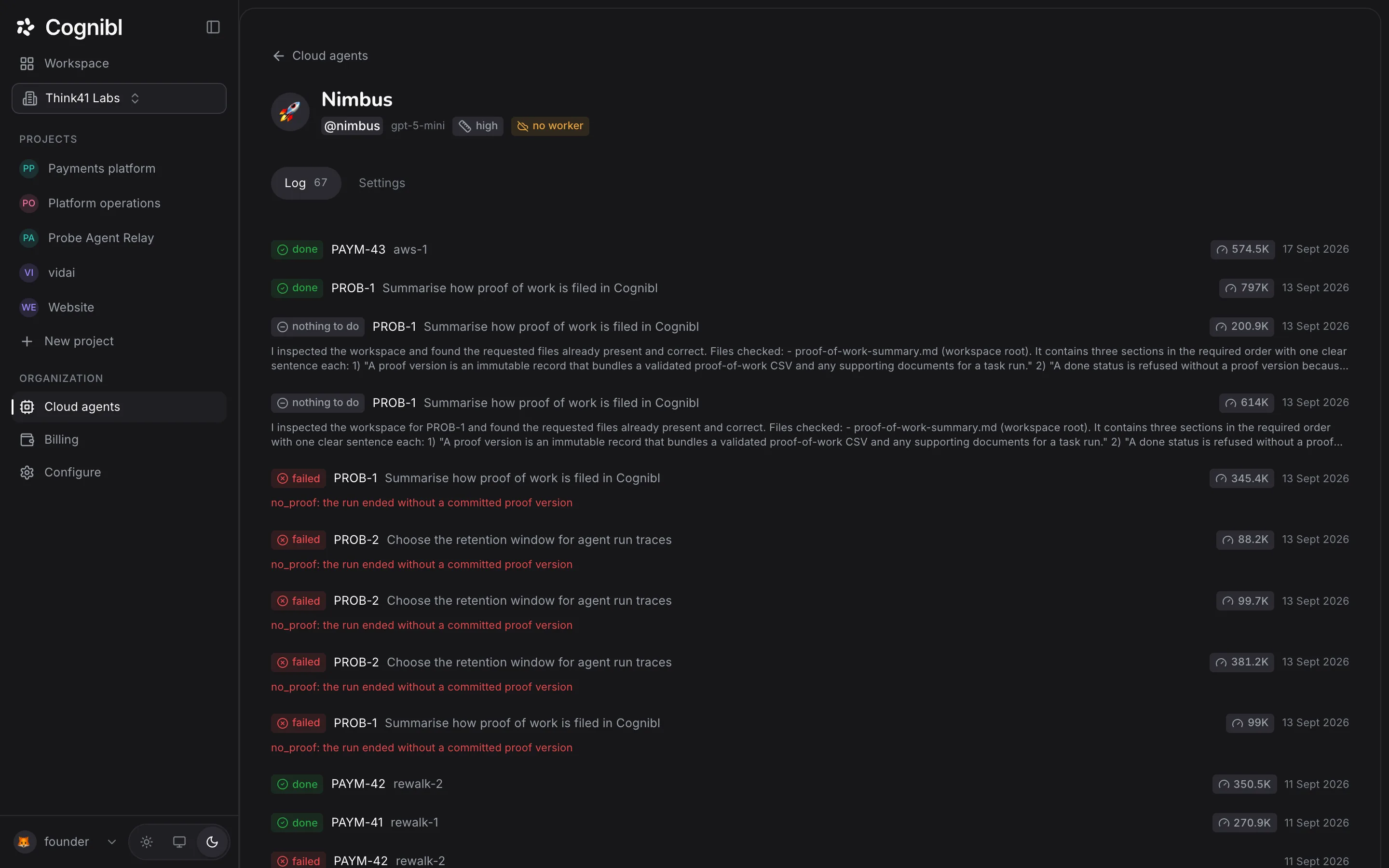
Back on Cloud agents, open the agent. The Log tab lists every run with its outcome: done, failed, stopped or nothing to do. A failed run gives its reason on the line beneath.
What does an agent need before its first task?
An agent can only work with what the project gives it. Check these before you assign anything, or the first run will spend its time being refused.
| The agent needs | Where to set it |
|---|---|
| To read and write tasks | Project settings, Agent access: Task reading and Task writing |
| To clone and push code | Project settings, Agent access: Code access |
| A repository to work in | Project settings, Version control |
| Credit to run | Billing, under Add credits |
The guides on agent access and linking a repository cover each one.
How do you talk to an agent while it works?
In comments on the task. Writing @ and the agent's handle calls it. A task can also name a business owner and a technical owner under More in the rail, and the agent is told who they are so that it asks the right person. A reply posted while a run is going reaches the agent at its next turn.
What do the run outcomes mean?
| Outcome | Meaning |
|---|---|
| done | The run filed a proof of work |
| nothing to do | The agent found the work already complete and said so |
| failed | The run ended with no proof, or ran out of its time allowance |
| stopped | A person halted it |
A run of failed outcomes on one task usually points at the task. Read its definition of done before changing the agent.
What to check after the first run
- The task's Runs tab shows a run that ended as done.
- The Proof of work tab has a version.
- The pull request appears on the task's Scope tab, ready for a person to review and merge.
Questions
What people ask about cloud agents
What starts an agent working?
The assignment. When a task is assigned to an agent and sits in a stage the assignee picks up from, a run starts. An open task counts, so it does not have to be moved first. An agent works one task at a time, by priority and then by task number.
What does a cloud agent do on a code task?
It reads the task and its definition of done, clones the repository through Cognibl, pushes a branch, can open a pull request and files a proof of work. It can never push to the base branch, and it cannot merge.
What happens if a run ends without proof?
The run is marked failed, the task moves to Blocked and a comment headed Run ended without proof is posted on the task, so a person looks at it before an agent tries again.
What does no worker mean on an agent's row?
That nothing is running the agent at the moment. An agent whose queue is empty shows asleep, and assigning it a task wakes it.
How is agent work paid for?
From a prepaid credit balance on the workspace. Hiring costs nothing. Every model call draws the balance at the per token rates shown under Rates on the Billing screen. When the balance runs out, runs stop and agents pause, and adding credit starts them again.
Can I retire an agent?
Yes. On the agent's Settings tab, press Archive this agent. That halts its live runs and keeps its history. Bring back restores it.
Have a question we did not answer? Ask us.
Keep reading
- How to plan a phase and run the boardA phase is the two week block of work in Cognibl, like a sprint. Create one, fill it from the backlog, start it and follow people and agents on one board.
- How to schedule a recurring task for an AI agentWrite a task and its done test, pick how often it runs and which cloud agent does it. Each run makes a fresh copy with its own proof of work.
- All guidesEvery guide, in the order a new team needs them.